


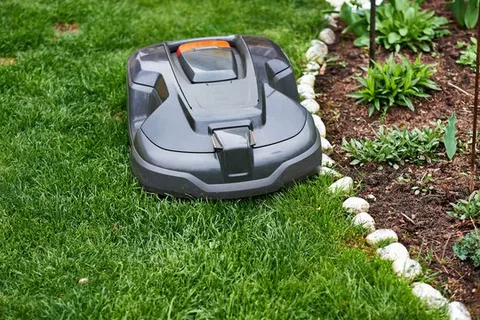
Robotic mowers have revolutionized lawn care by providing a hands-free, efficient way to keep your grass trimmed. However, like any electronic device, robotic mowers can experience issues that require troubleshooting. This article will guide you through robotic mower troubleshooting: common problems and fixes to help you get your mower back on track quickly and efficiently.
Common Problems with Robotic Mowers
Before diving into the fixes, it’s essential to understand some of the common issues robotic mower owners face:
1. Mower Won’t Start
One of the most frustrating problems is when your robotic mower refuses to power on. This issue could stem from a dead battery, a faulty power connection, or a software glitch.
2. Poor Cutting Performance
If your mower leaves patches of uncut grass or cuts unevenly, it could be due to dull blades, incorrect blade height settings, or debris obstructing the cutting deck.
3. Mower Stops Mid-Operation
A mower that suddenly stops working during its cycle could be encountering obstacles, sensor malfunctions, or overheating.
4. Charging Problems
If the mower is not charging properly, it might be due to a damaged charging station, dirty contacts, or a battery issue.
Robotic Mower Troubleshooting: Common Problems and Fixes
Now that we’ve identified the frequent issues, let’s explore some practical fixes.
1. Troubleshooting Power Issues
- Check the Battery: Remove and inspect the battery. If it’s swollen, leaking, or old, replace it.
- Power Connections: Ensure all cables and connectors are secure and free of corrosion.
- Software Reset: Sometimes, resetting the mower’s software can resolve startup glitches. Refer to your manual for reset instructions.
2. Improving Cutting Performance
- Blade Maintenance: Regularly sharpen or replace the blades. Dull blades tear grass instead of cutting it, leading to poor results.
- Clear Debris: Clean out grass clippings and dirt from the cutting deck and wheels.
- Adjust Blade Height: Make sure the blade height setting matches the length of your grass for an even cut.
3. Resolving Mid-Operation Stops
- Obstacle Detection: Check if there are objects or terrain features causing the mower to stop. Remove toys, sticks, or stones from the lawn.
- Sensor Cleaning: Clean the mower’s sensors gently with a soft cloth to remove dirt that might cause false readings.
- Cooling: Allow the mower to cool down if it has overheated, then resume operation.
4. Fixing Charging Problems
- Clean Charging Contacts: Dirt or corrosion on the charging contacts can prevent proper charging. Clean them with a dry cloth.
- Inspect the Charging Station: Ensure the charging station is properly connected to power and placed on a flat surface.
- Battery Replacement: If charging issues persist, the battery may need replacing.
When to Seek Professional Help
While many issues can be resolved with basic troubleshooting, some problems may require professional service. If you notice persistent error messages, significant hardware damage, or if your mower does not respond after multiple fixes, contacting the manufacturer or an authorized repair center is advisable.
Conclusion
Robotic mowers provide a convenient way to maintain your lawn, but they aren’t immune to occasional problems. By understanding robotic mower troubleshooting: common problems and fixes, you can quickly diagnose and address many issues yourself. Regular maintenance and prompt troubleshooting will keep your mower running smoothly and your lawn looking pristine all season long.
